Important announcement

Due to operational issues, regrettably, some of our food waste collections have been suspended. If your food caddy is not collected on its scheduled day, please take your bin in and present it on your next collection day. We apologise for the inconvenience this will cause and we’re working hard to remedy the situation.

This process outlines the steps to create a non-contract request and attach one quote for the whole order.

1. Create a Non-Contract Requisition> Add the Line to the Cart
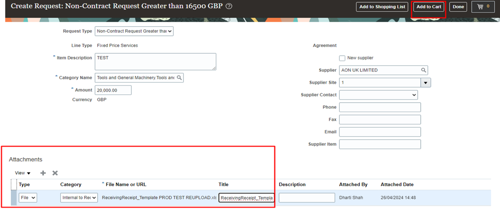
screenshot of oracle fusion create request screen with attachment section highlighte

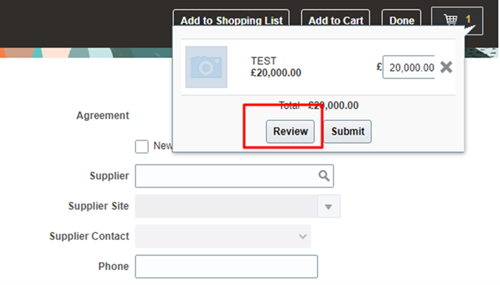
2. Review the Cart

screenshot of the review cart screen with the review button highlighted red

3. Navigate the Page to Line Level > Click on the Line added > Duplicate the Line
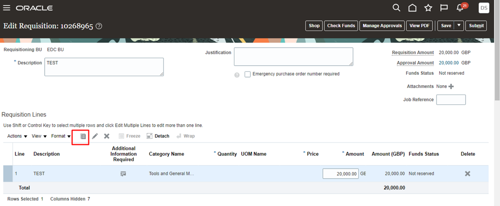
screenshot of oracle fusion with the requisition lines section highlighted red

4. This way another line would be added. You can also edit the line by clicking on pencil icon.
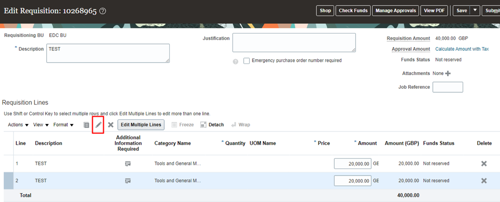
screenshot of oracle fusion edit requisition screen with pen icon highlighted red

5. If all the lines have the same attachment > Add the attachment on the Requisition header.
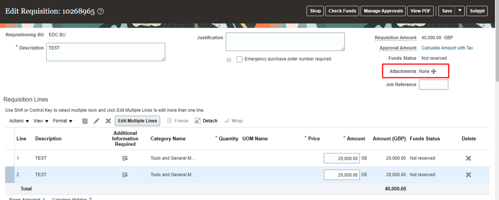
screenshot of oracle fusion with the attachments section highlighted red